
If you are a Domain Name newbie. There are a few things you should know when it comes to using your domain name that is purchased in Godaddy to be used in dreamhost, Where you have your servers.
This can be achieved in two ways:
1. Through pointing the name servers to the registrar (Dreamhost in our case) where you have hosted your website
2.Through a domain name transfer
We will look into detail on point 1, since that is the easiest and in my experience the right way to use it. Especially when you are working with a client who has already purchased him domain in a different registrar.
How to add a nameserver in Godaddy
Login to your Godaddy account.
Click on your profile dropdown in the top right corner
Click on my products.
Under All Products and Services , you’ll see the Domains accordion where you’ll see all the domains you have purchased
Right next to the domain you want to point to dreamhost, You’ll see a DNS button. Click on it.

You’ll be taken to the DNS management page.
Click on the nameservers tab.
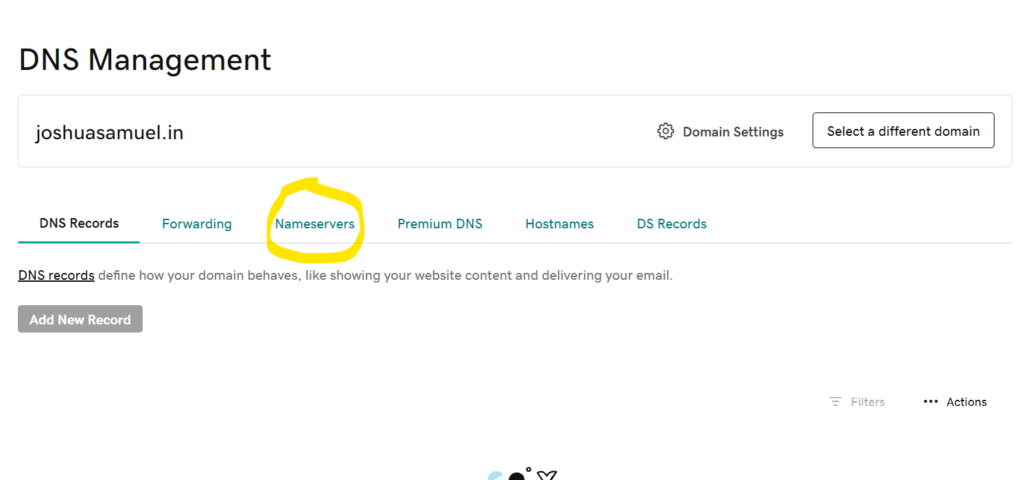
Click on the change nameservers button and instead of using the Godaddy nameservers. Select the I’ll use my own nameservers radio button and add the following nameservers:
1. ns1.dreamhost.com
2.ns2.dreamhost.com
3.ns3.dreamhost.com
Click on save.
A popup saying this is dangerous would appear, click on accept
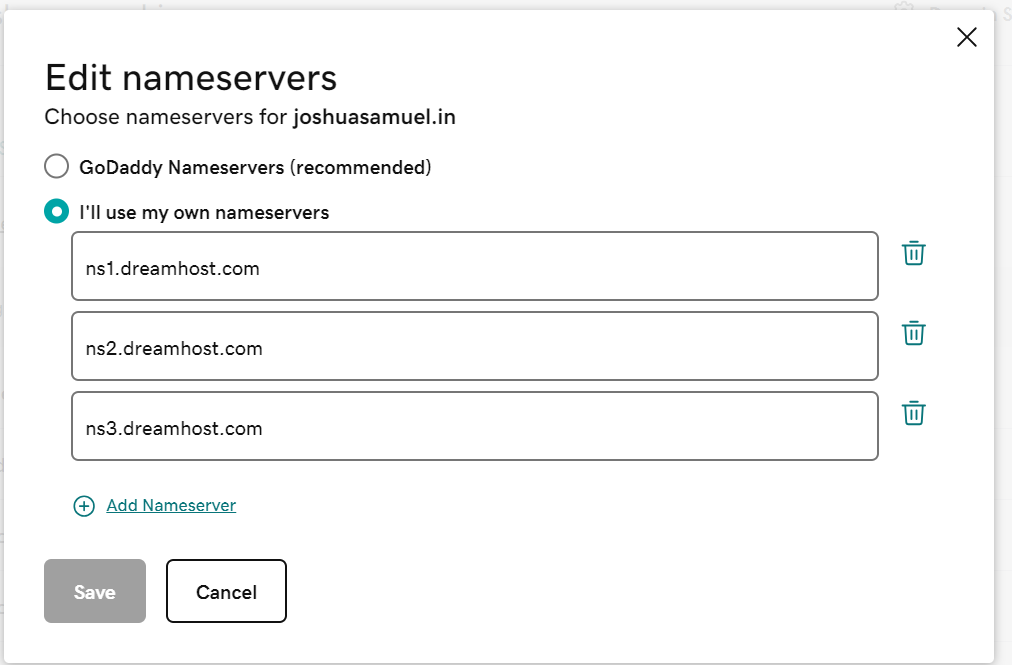
Now you’ve successfully pointed the domain you purchased in Godaddy to dreamhost nameservers.
The nameservers usually take a while to propagate , so give a few hours to a day at most. And proceed with the steps below
Using the domain in dreamhost
Login to your dreamhost account
In the right navigation menu bar, Click on Websites –> Manage Websites –> Add Websites.

Now you will see the panel where you can search for your domain name.
When you search for the same domain for which we changed the nameservers , it would appear.
Click on it.
There would be a warning stating that this domain is registered in a different registrar and is it yours? Click on continue and proceed with creating your website.